HookCheck
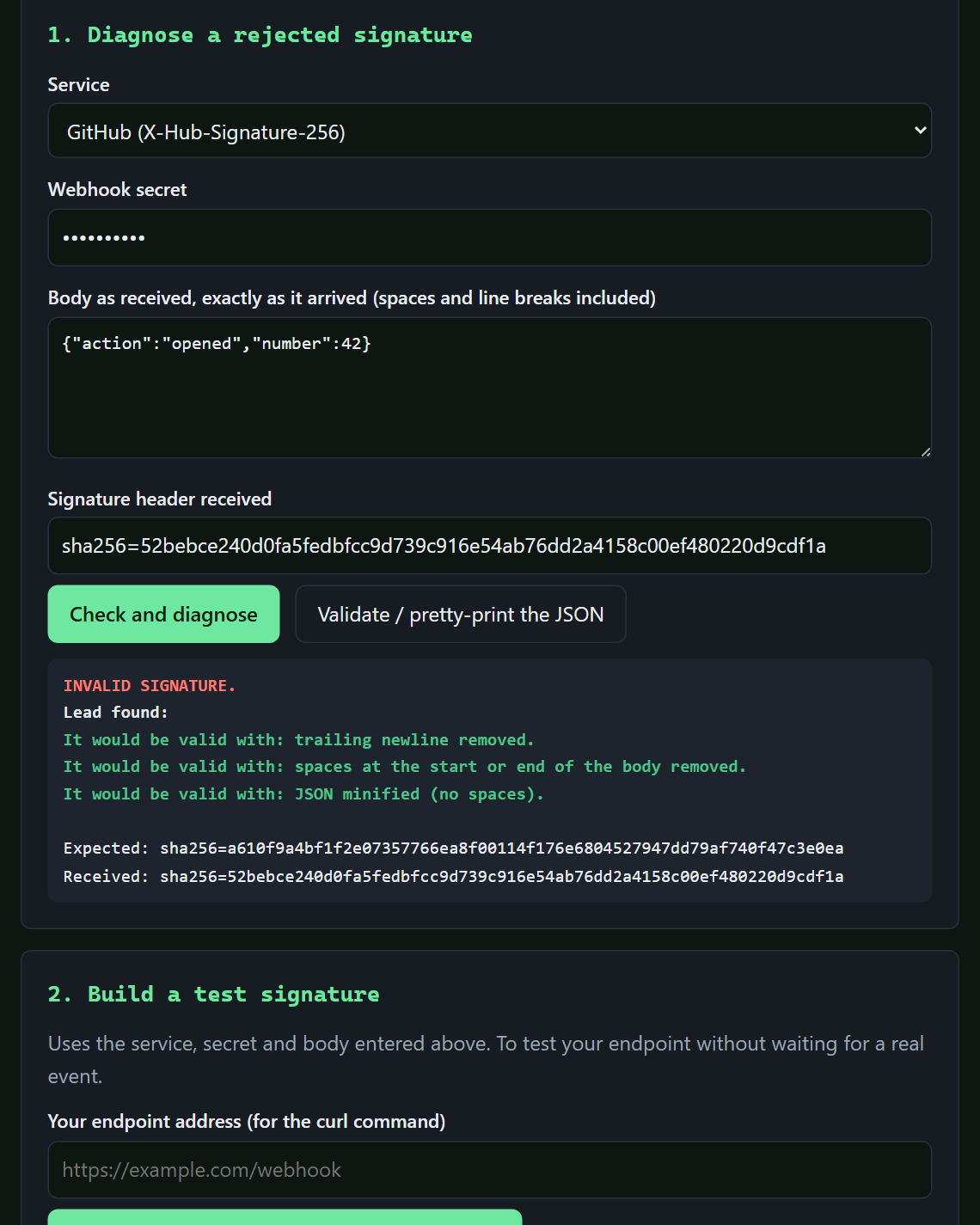
WebhooksChecks a webhook signature (Stripe, GitHub, Shopify or generic) and explains why it is rejected: whitespace, line endings, reformatted JSON, wrong secret.
€12See the page →
All tools / SecretScan
Drop your project folder or paste a text: SecretScan shows where the keys and passwords are, how to revoke them, and gives you a copy with the secrets replaced.
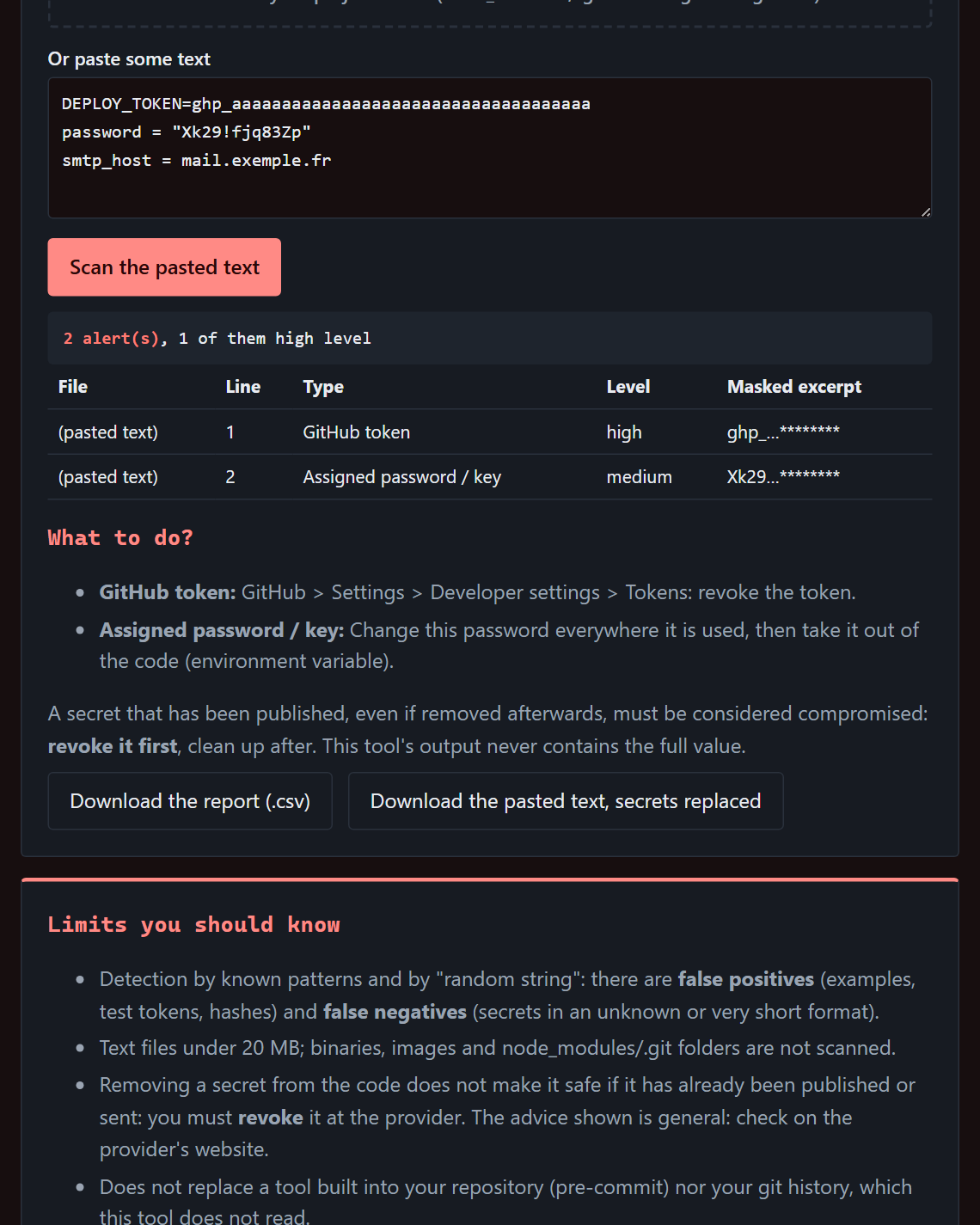
Drop the whole folder: node_modules, .git and images are skipped. Sensitive files such as .env are flagged by name.
For each secret: the file, the kind, the masked value and where to revoke it at the provider (AWS, GitHub, Stripe, Google, Slack…).
Download the report as CSV and a copy of the pasted text with the secrets replaced.
No. The scan runs in your browser and the page itself forbids any connection. Values found stay masked on screen.
25 kinds: AWS, Azure and Google keys, GitHub, GitLab, Slack, npm, Stripe and Shopify tokens, PEM private keys, JWTs, passwords written in code, URLs with credentials, and more. Plus strings that look like a randomly generated key.
Soon. Sign up below: one single message when sales open.
Leave your e-mail and the tool you are interested in. One message when sales open, nothing else.
Checks a webhook signature (Stripe, GitHub, Shopify or generic) and explains why it is rejected: whitespace, line endings, reformatted JSON, wrong secret.
A webhook receiver you host yourself: signature checked, duplicates ignored, everything kept, forwarded with retries, replayed in one command.
For developers: Python 3.8 and a reachable machine.
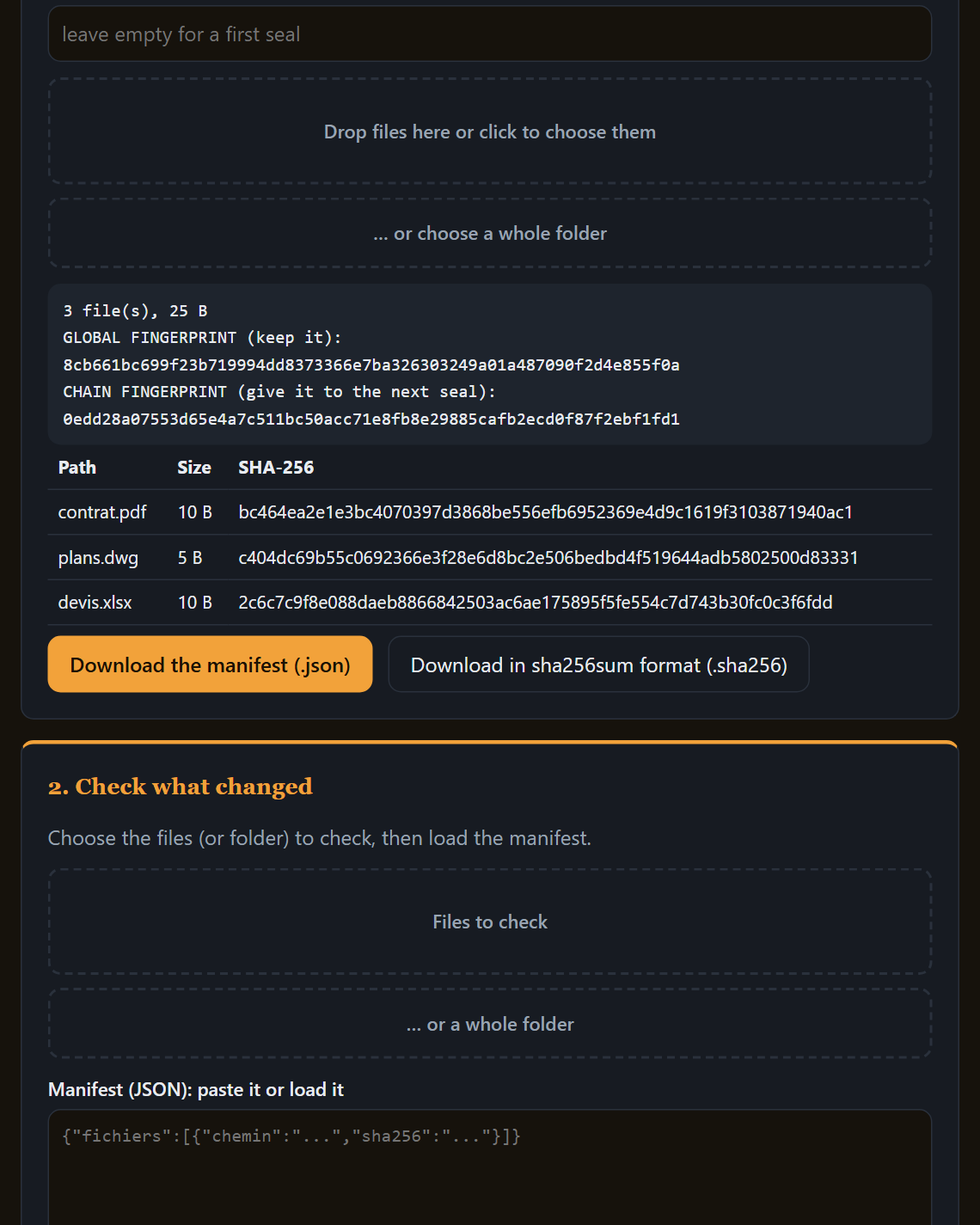
Seals a set of files or a folder: a manifest of fingerprints and an overall fingerprint. Later, it tells you what is identical, modified, missing or added.
Proves integrity, not a legally binding date.